
Spinago Casino App for Aussies

Spinago Casino delivers its mobile experience through a Progressive Web App rather than a native iOS or Android download. The PWA installs from the browser in under thirty seconds, opens in fullscreen mode without browser bars, and mirrors every desktop function including the cashier, the live dealer lobby and document upload for verification. This page explains why the operator chose the PWA route over the App Store and Google Play, walks through the installation sequence on both Android Chrome and iOS Safari, and lists the mobile features Australian players will use most after the icon lands on the home screen.
Why Spinago Skips the App Store and Google Play
The absence of a native Spinago app from official stores is not a development gap — it reflects a restriction imposed by Apple and Google. Each store requires real-money gambling apps to hold a licence registered in every country of distribution. Offshore operators serving multiple markets find this requirement commercially impractical, so the Progressive Web App route has become standard practice across the offshore segment.
The PWA approach also offers technical advantages: the code runs inside the browser sandbox, eliminating malware risks associated with sideloaded APK files. Updates deploy server-side without user intervention, and storage footprint remains minimal.

Android Installation — Chrome and Samsung Internet
Android installation works through any major browser that supports PWA. Chrome and Samsung Internet deliver the most reliable experience. Firefox and Opera need extra steps not in the standard prompt.
Step 1 — Open the Site in a Standard Browser
The PWA prompt appears only in Chrome or Samsung Internet on Android. Browsers embedded inside other applications, such as the Telegram in-app viewer, do not show the install option.
Step 2 — Open the Menu and Tap Add to Home Screen
The browser menu sits behind the three vertical dots in the upper-right corner. The Add to Home Screen option may also appear as Install App, depending on browser version.
Step 3 — Confirm the Install Pop-Up
A confirmation dialog appears asking the user to approve the installation. Tapping Install places the Spinago icon on the device home screen. The process completes in under five seconds.
Step 4 — Launch the PWA and Sign In
Tapping the new icon launches the casino in fullscreen mode without browser navigation. Returning players log in directly; new visitors can complete sign-up inside the PWA via the dedicated register flow.
iPhone and iPad Installation via Safari
iOS handles PWA installation differently from Android — only Safari can complete the workflow. Chrome and Firefox on iOS use the same WebKit engine but hide the install action.
Step 1 — Open Spinago in Safari
Safari is the only iOS browser capable of installing the PWA. URLs opened in other browsers must be copied and pasted into Safari before the installation prompt becomes available.
Step 2 — Tap the Share Icon
The Share icon — a square with an upward arrow — sits in the lower toolbar on iPhone Safari and in the upper toolbar on iPad. Tapping it opens the iOS share sheet.
Step 3 — Choose Add to Home Screen
The Add to Home Screen option appears within the share sheet. Older iOS versions may hide it behind the More button at the right edge.
Step 4 — Confirm and Launch the PWA
A final confirmation lets the user edit the shortcut name before saving. Tapping Add places the Spinago icon on the home screen, where it opens in fullscreen mode like a native iOS application.
Mobile Features Available in the PWA
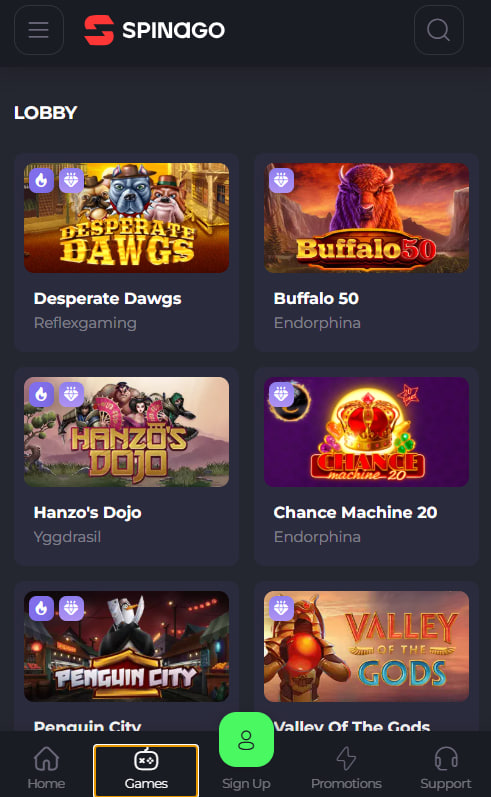
The Spinago PWA replicates desktop functionality without compromise. Australian players can access the full pokies catalogue, live dealer tables, the cashier, account management and KYC document upload from the device. Performance matches a native app because the SoftSwiss engine is optimised for both desktop and mobile rendering. Mobile-only conveniences include camera integration for document upload, push-style notifications for withdrawal status, and landscape orientation for live tables.
Cashier on Mobile — Deposits and Withdrawals
Cashier operations run identically on the PWA: deposits clear through cards, Neosurf vouchers or cryptocurrency, with crypto wallet QR codes scannable through the device camera. Withdrawal requests submitted from the phone process at the same speed as desktop — five to one hundred twenty minutes for crypto, one to three business days for bank transfers. Bonus claim mechanics on the bonus page function without difference between desktop and mobile.
Tips for the Best Mobile Experience
A few practical adjustments improve the mobile session experience for Australian players:
- Use Wi-Fi rather than mobile data when streaming live tables
- Enable push notifications to receive withdrawal status alerts
- Rotate to landscape for live blackjack and roulette views
- Close background apps before extended sessions for stable performance
- Update the browser regularly to ensure PWA compatibility

Edmund Thornbury
Edmund Thornbury reports on Spinago Casino at spinago-casinoo.com, the SoftSwiss-powered offshore casino operated by Novatrix SRL since 2020 under dual Tobique Gaming Commission + Anjouan Gaming Authority licence ALSI-202508056-FI2. Covers 2,500+ titles from 78 studios including BGaming/Playson/Betsoft pokies and BetGames-only live dealer (unique AU restriction), three-deposit welcome pack (100%/A$250 + 200 FS Elvis Frog with x40 wagering), industry-leading A$3K daily/A$30K monthly withdrawals, 8-tier Bronze-upward VIP at lighter x25 wagering, mirror domain network via Telegram and Casino Guru 6.5 Safety Index transparency.